
How to Keep Track of Your Dog's Vet Records
Updated July 2026
To keep track of your dog's vet records, gather every document into one digital file on your phone — vaccination history, medications, test results, weight and visit notes — and photograph any paper you receive. A digital record means the full history is organized on one timeline and available to any family member the moment a vet or emergency clinic asks for it. Update it after every appointment so it always reflects the latest.
What belongs in a complete pet medical file
A good medical file is more than a stack of receipts. When you or a vet needs it, you want the whole picture in one place. Aim to capture:
- Identification — breed, birthday, microchip number and any registration details.
- Vaccination history — each shot, the date given and when the next is due.
- Medications and preventives — current prescriptions, doses, and flea, tick and worming products.
- Allergies and chronic conditions — anything a new vet must know before treating your dog.
- Visit notes and diagnoses — what happened at each appointment and what was recommended.
- Test results — bloodwork, x-rays and lab reports, ideally as photos or files.
- Weight and vital trends — the numbers that show change over time.
With those pieces together, you can answer almost any question a vet asks — when a symptom started, what medication your dog reacted to, or how their weight has moved since last year.
Paper vs digital records
Paper records have one big weakness: they exist in exactly one place, and that place is rarely where you need them. A folder at home is no help at an emergency clinic across town at 10 p.m. Paper also fades, gets coffee-stained, and piles up — finding one test result from two years ago means flipping through a stack.
Digital records fix all of that. A record on your phone is organized on one timeline and always in your pocket. You can attach photos of documents, pull up a date in seconds, and — crucially — share access so you are not the single point of failure. Going digital doesn't mean throwing paper away; it means photographing each certificate and report so the important copy is the one you always have with you.
Tip: The next time you leave the clinic with a printout, photograph it in the car before it disappears into a bag. Thirty seconds then saves a frantic search later.
The emergency-access argument
Here is the scenario that makes this matter: your dog is unwell, you are at work, and your partner rushes them to the vet. The clinic asks about vaccinations, current medications and past problems — and your partner doesn't have the paperwork. Precious minutes are lost, or treatment proceeds without a full history.
Now picture the same day with a shared digital record. Whoever is holding the dog opens the app, and the entire medical history is right there — vaccines, meds, allergies, recent weight, past diagnoses. Any family member can answer the vet's questions accurately. That shared, always-available history is the single strongest reason to organize records digitally rather than trusting a folder only one person can reach.
Keep the record current
A medical file is only as useful as it is up to date, so the real habit to build is updating it right after each appointment rather than "later." Add the new visit notes, any prescription changes and the next due date while they are fresh, and photograph any printout before you leave the parking lot. A record you maintain in small, regular touches stays trustworthy; one you plan to catch up on all at once rarely gets caught up. Five minutes after each visit keeps the whole history accurate for years.
Store your dog's vet records with PetnotePlus
Building this file doesn't have to be a project. The free PetnotePlus app is designed to hold exactly this kind of history:
- Create custom record items. Beyond the built-in categories, add your own items for anything your dog's history needs — test results, chronic conditions, specialist notes.
- Attach photos of documents. Snap the vaccination certificate, lab report or prescription and attach it straight to the record so the paperwork lives with the entry.
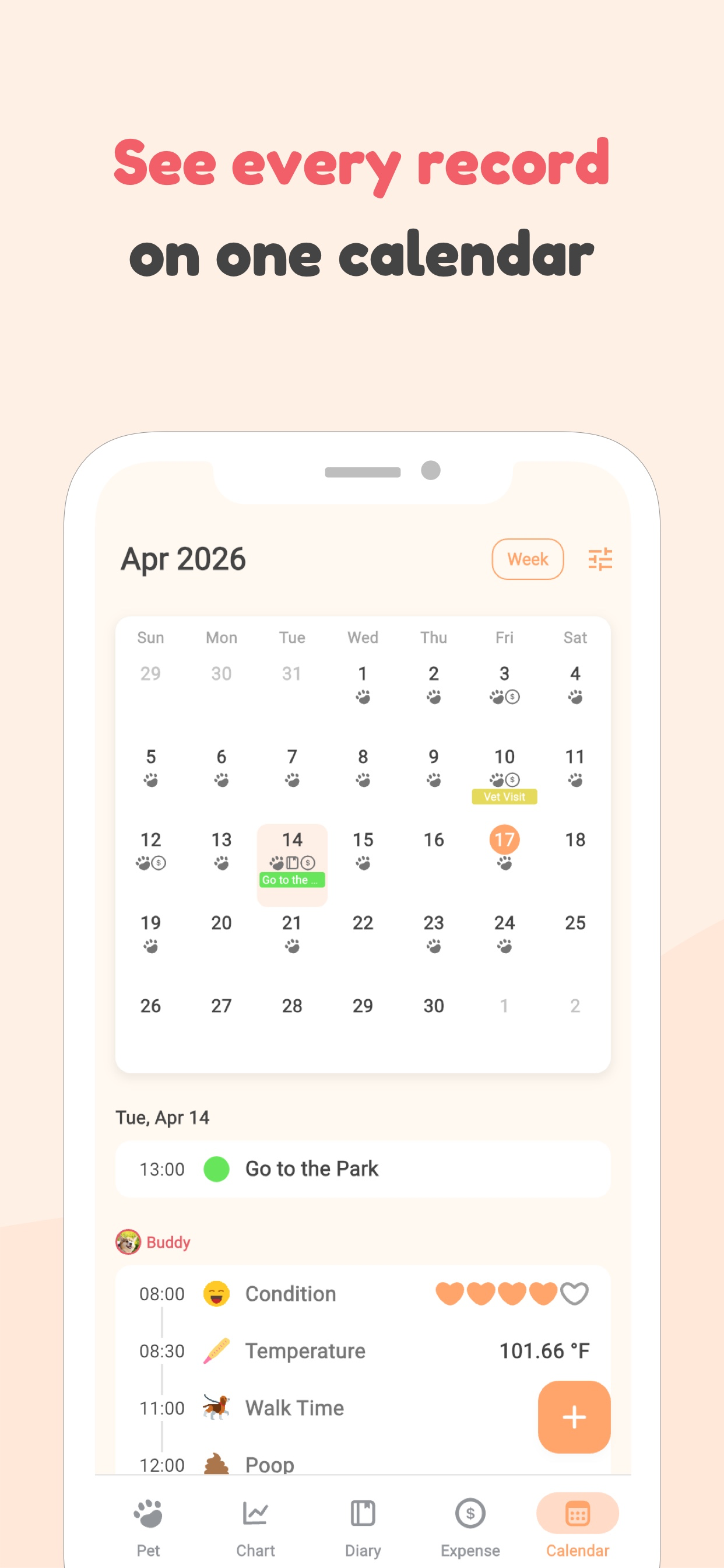
- Keep a calendar history. Every visit, vaccine and event sits on one calendar, so the full timeline is easy to scroll through.
- Share with the whole household. Share the dog with up to 15 family members so anyone can pull up the history in an emergency.
- Export to CSV for the vet. With Premium, export records and expenses to CSV so you can hand a clean summary to a new clinic or specialist.
Keep your dog's records in your pocket
Store the full medical history, attach documents, and share with family — free on the App Store.


This guide is for general information only — always consult your veterinarian about your pet's health.