
How to Share Pet Care With Family (Without the Mix-Ups)
Updated July 2026
To share pet care with family, use a shared pet care app instead of a group chat: everyone logs feedings, medicine and walks in one place, so anyone can instantly see what has been done and what is still due. The key is real-time updates and reminders — that is what stops the two classic problems in a multi-caregiver home, double-feeding the dog and missing a dose because each person assumed someone else handled it.
The double-feeding, missed-meds problem
In a home with more than one caregiver, the hardest question is not "who loves the pet most" — it is "did someone already do it?" You come home, your dog gives you the hungry eyes, and you feed them… not knowing your partner fed them an hour ago. Multiply that across breakfast, dinner, treats and a housemate, and a pet can quietly eat two dinners a day. Over weeks that is a real weight and health problem.
The mirror image is just as common and more dangerous: the missed dose. Each person assumes someone else gave the morning medicine, so nobody does. For a pet on time-sensitive medication, a skipped or doubled dose is not a small mistake. Both problems come from the same root cause — no shared, reliable record of what has actually been done.
Why group chats fail as a system
The natural first attempt is a family group chat: "Fed Bella 🐶". It feels organized, but it breaks down fast. Care messages get buried under memes, links and everything else in the thread, so you end up scrolling to find whether anyone fed the dog. There is no clear status — just a timeline you have to reconstruct in your head. Nothing reminds you when a task is due, and there is no structured history to look back on when the vet asks when the medication started. A chat is a conversation, not a system, and pet care needs a system.
What a shared care log actually needs
A tool that solves this reliably has a few non-negotiable features. When you are choosing how to coordinate, look for these:
- Real-time updates. The moment one person logs a feeding, everyone else sees it — no refreshing, no "did you get my text?"
- A clear record of what's done. Each entry shows what was done and when, so there is never any ambiguity about whether the 8 a.m. dose happened.
- Reminders and routines. Recurring tasks (meals, medicine, walks) come with reminders everyone can see, so nothing depends on one person's memory.
- Notifications when a record is added. A quiet nudge that dinner was just logged closes the loop for everyone who wants to stay posted.
Tip: Agree on one simple rule as a family — "if it's not logged, it didn't happen." When everyone trusts the log, they stop second-guessing and stop double-doing.
Divide responsibilities clearly
Shared tools work best alongside a little planning. Decide who owns which routines rather than leaving everything to whoever notices first. One person might own morning meals and medicine, another the evening walk and dinner, with weekends split. Writing these roles down — and building them into your reminders — turns a vague "we all pitch in" into a schedule everyone can actually follow. It also makes it obvious when a task is genuinely uncovered, for example when someone is away, so you can hand it off on purpose instead of by accident.
The easy way: share pet care with your family in PetnotePlus
This is exactly what family sharing in the free PetnotePlus app is built for. While many pet apps cap sharing at around five people, PetnotePlus shares with up to 15 family members or friends — enough for the whole household plus grandparents, a dog walker or a pet sitter. Here is how to set it up:
- Generate a share code on the main device. Open Settings on the phone that holds your pet's data and create a share code.
- Connect the other devices. On each family member's phone, enter your Petnote ID and the share code to join.
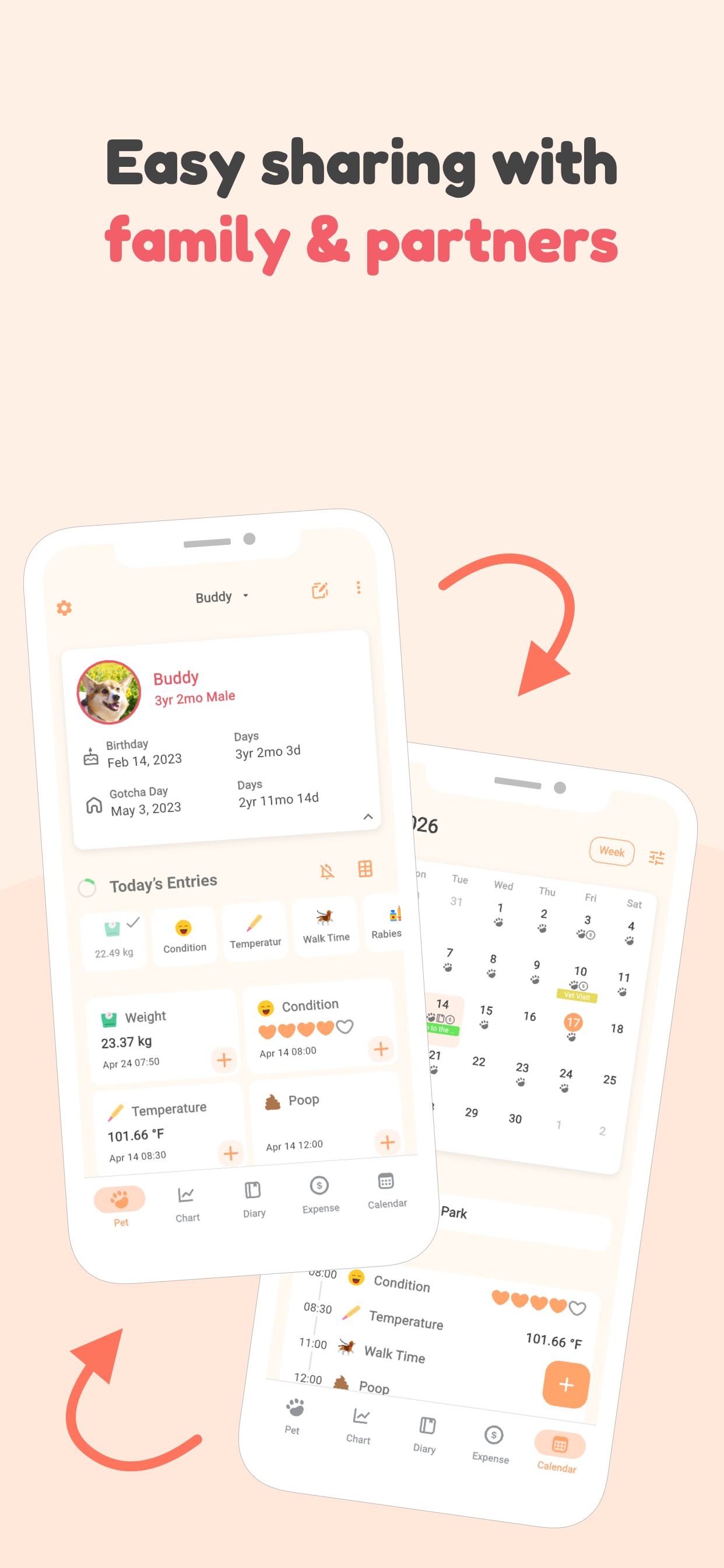
- Log care as it happens. Whoever feeds, medicates or walks the pet records it in Today's Entries — and everyone else sees the entry instantly.
- Turn on notifications for the records you care about. Each family member can enable notifications per record category, so the moment a meal or dose is logged, everyone who wants to know, knows.
- Set routines and reminders. Add recurring meal, medicine and walk reminders so nothing slips through the cracks.
Get your whole household on the same page
Share pet care with up to 15 family members — free on the App Store.


This guide is for general information only — always consult your veterinarian about your pet's health.